# ❗How to add YOUR Project to our Projects Gallery on FabLab Manager 👀
__Your project is posted in just a few clicks__ 🚀
*Thank you for being part of our community and inspiring others.* 🙏
You decide how much you want to share – go super detailed, or just add a photo with a short description.
*Tip: Add any links that helped you along the way – guides, templates, tutorial videos… whatever made your project easier.*
-----
### 1) Log in 🔐
[Log in](https://idp.tu-ilmenau.de/idp/profile/SAML2/Redirect/SSO?execution=e1s1) easily with your university account.
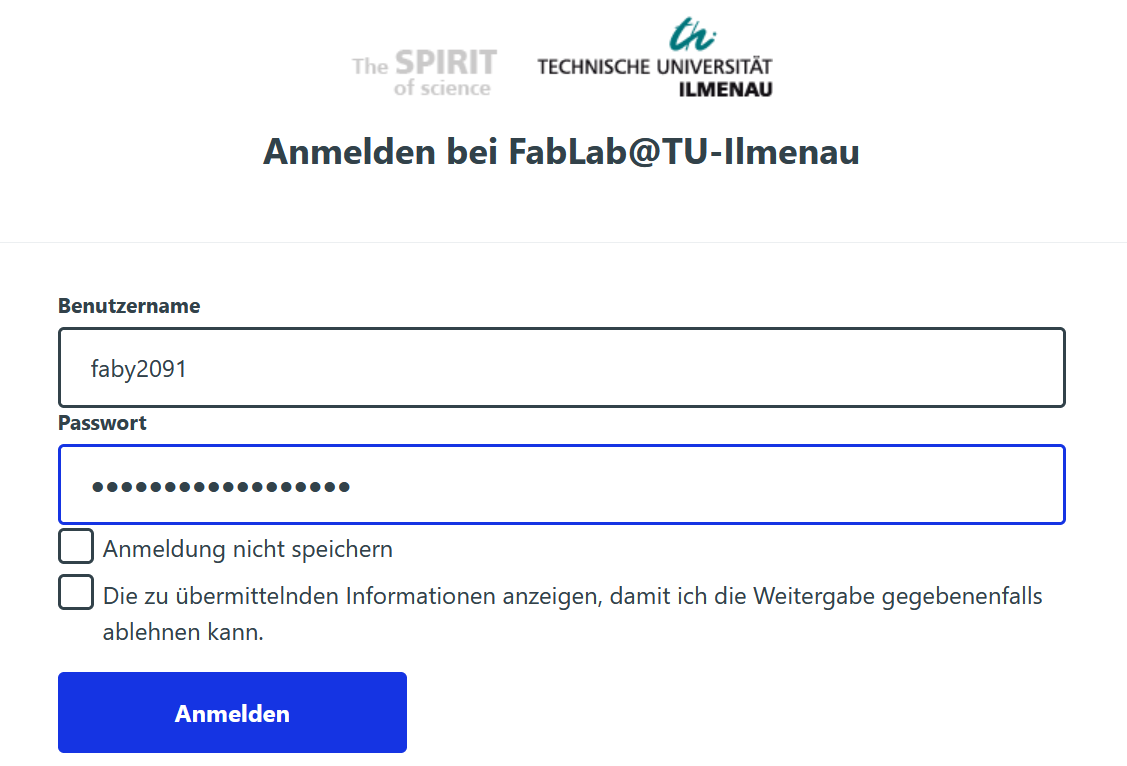 ### 2) Navigate to the Projects Gallery
[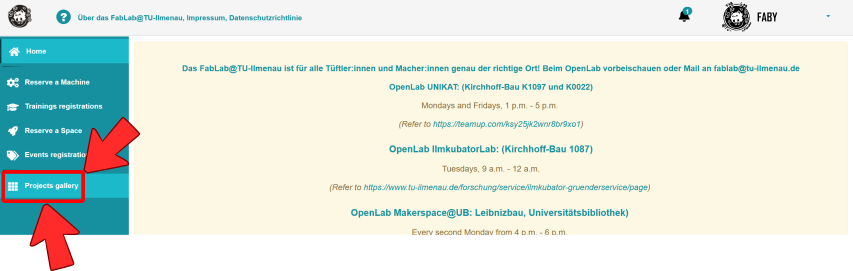](https://unikat-ilmenau.de/wiki/uploads/images/gallery/2026-02/image-1770937983026.png)
### 3) Create new project ➕
Just click **"Add new project"** and get started!
[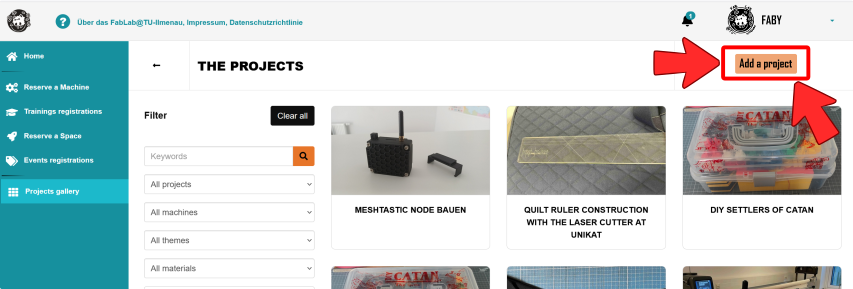](https://unikat-ilmenau.de/wiki/uploads/images/gallery/2026-02/image-1770937560131.png)
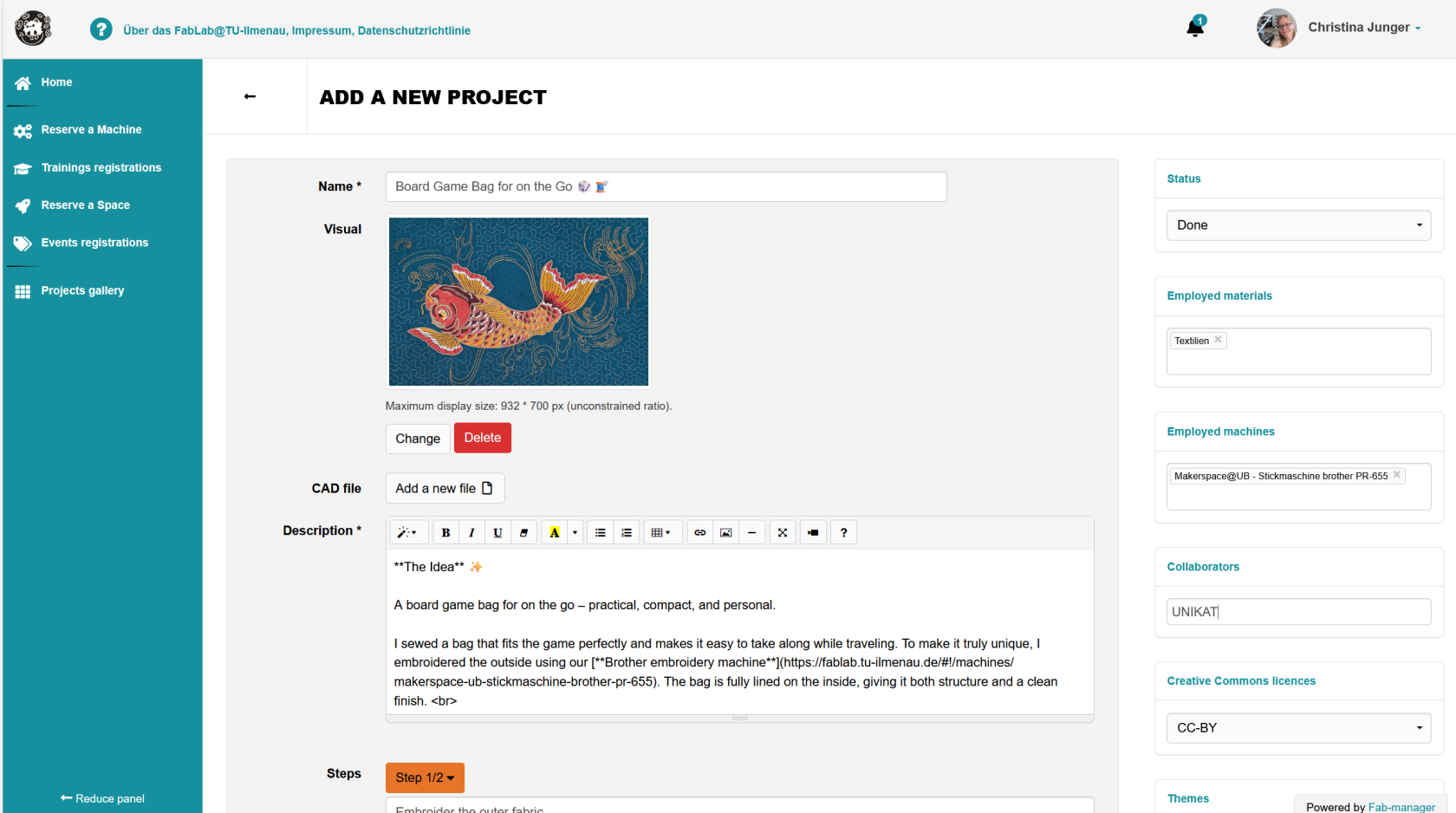
📝 **Now a form page opens where you can easily add your project.**
Add easily the title, image 🖼️, details 📝, steps, ... in the middle panel.
### 2) Navigate to the Projects Gallery
[](https://unikat-ilmenau.de/wiki/uploads/images/gallery/2026-02/image-1770937983026.png)
### 3) Create new project ➕
Just click **"Add new project"** and get started!
[](https://unikat-ilmenau.de/wiki/uploads/images/gallery/2026-02/image-1770937560131.png)
📝 **Now a form page opens where you can easily add your project.**
Add easily the title, image 🖼️, details 📝, steps, ... in the middle panel.
❗*Very important:* Choose the Status, Collaborators and the main Employed machines you used (right-hand panel).
🚀 Then click the **"Publish your project"** button.
[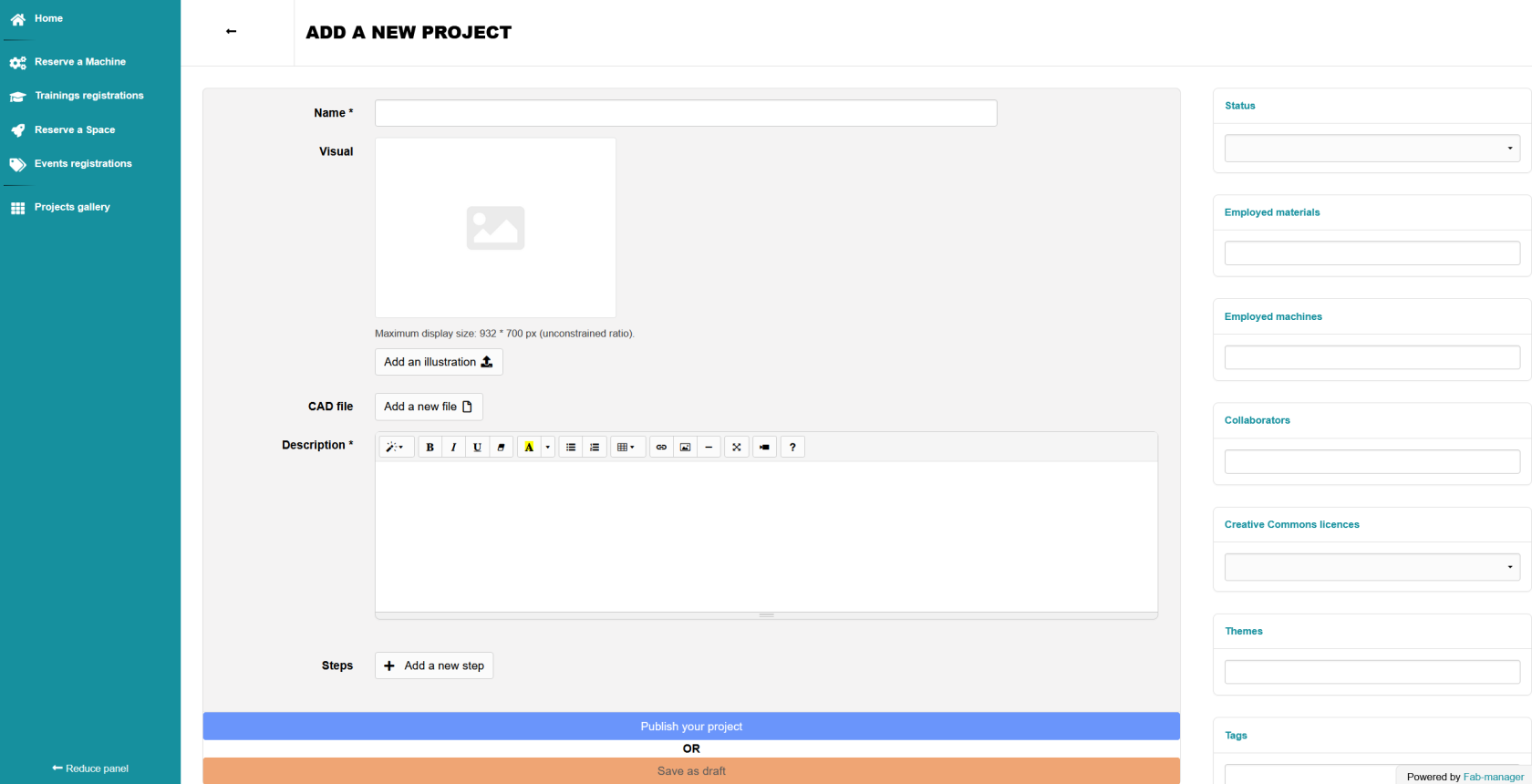](https://unikat-ilmenau.de/wiki/uploads/images/gallery/2026-02/image-1770939620776.png)
🚀 **And just like that, your project is published!** 🎉 Congratulations!
-----
### Example project 💡
Have a look at the [Board Game Bag for on the Go](https://fablab.tu-ilmenau.de/#!/projects/board-game-bag-for-on-the-go)
[](https://unikat-ilmenau.de/wiki/uploads/images/gallery/2026-02/image-1770942946697.png)